
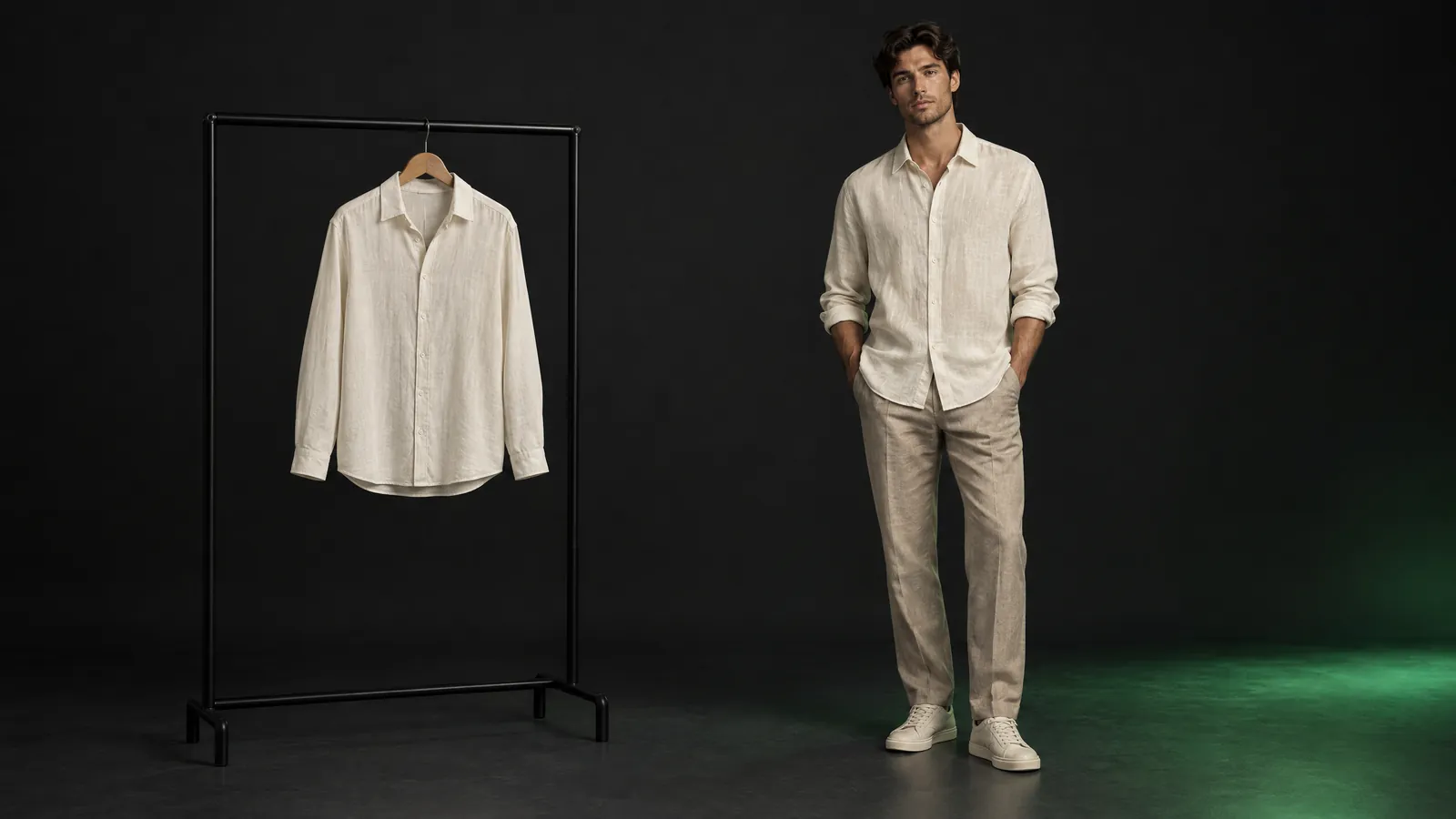
Short answer: An AI model turns a flat-lay or hanger photo of a garment into an on-model catalog image. On Yeşilçam Fashion Try-On one try-on image costs 43,750 tokens, about $0.26 at the Basic rate. For fabric texture, drape, accessories and campaign images a studio shoot is still the better choice; for large catalogs that are refreshed often, AI cuts the cost markedly.
You have 100 products in the new season, and each needs three poses on a model. When you open the studio quote, you see that most of the figure goes not to the clothes but to the day itself: the model, the photographer, the studio, hair and makeup, the stylist, then retouching for every image. If a color option arrives later, the same day is set up all over again. This article compares the two routes item by item, calculates the AI side in tokens and dollars, and tells you which one is right for which product.
What is product photography with an AI model?
An AI model is a virtual try-on method that takes a photo of the garment itself and generates an image of it worn on a model. There is no camera day, no studio and no model fee; the input is two photos, the garment and the model. The output is a catalog-quality try-on image. This is also the job people search for as "AI clothes changer" or "AI outfit try-on".
The method does not redesign the garment; it fits the product you photographed onto a body. The quality of the result therefore depends on two things: how clean the garment photo is, and your review. We cover separately what virtual try-on does and does not change for small brands in the virtual try-on for small fashion brands article; here the topic is cost and the decision.
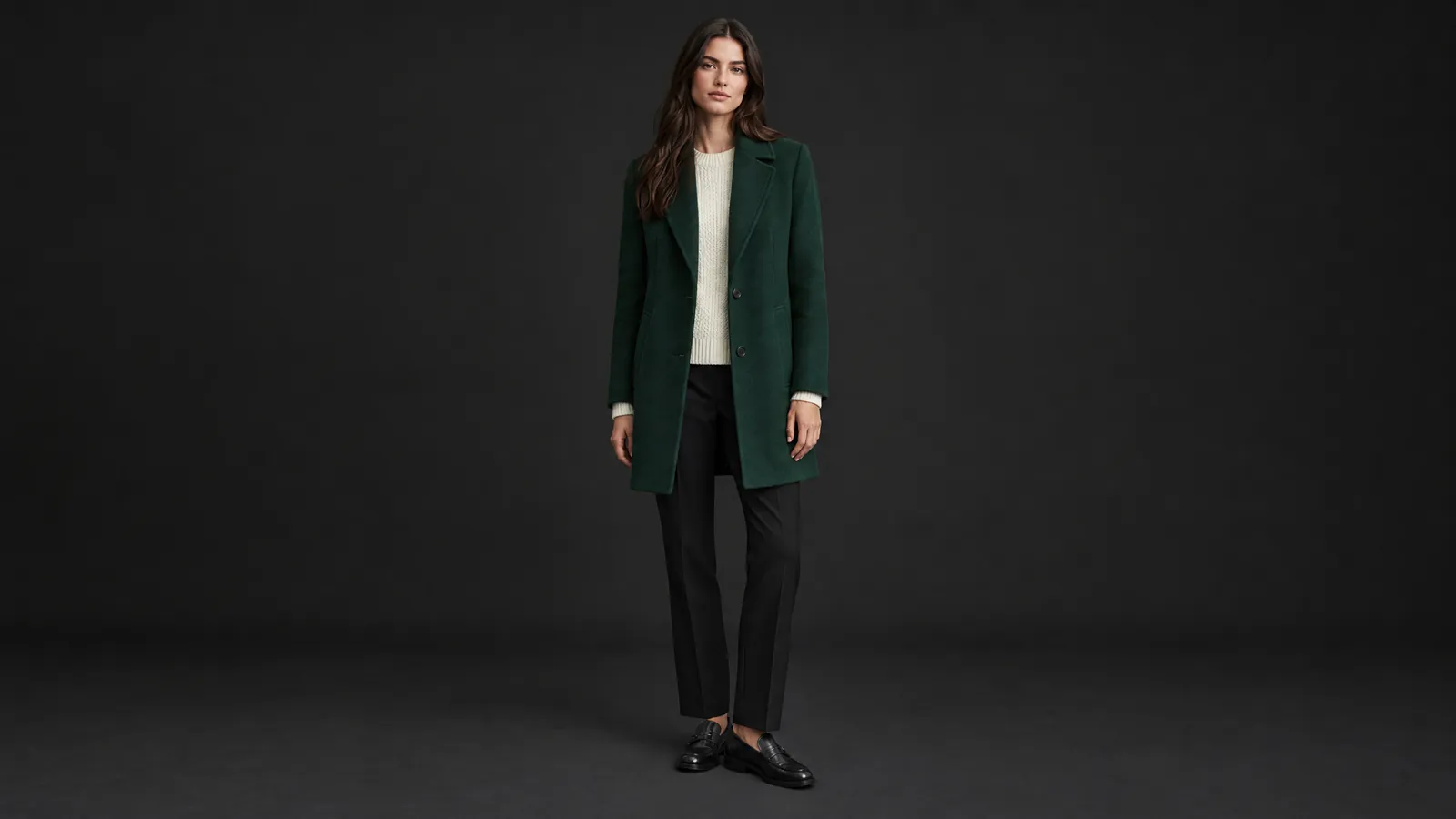
Which items set the cost of an on-model studio product shoot?
The price of an on-model shoot is built per day. The model, photographer, studio, hair and makeup and stylist all work together on the same day; retouching is added per image. Because the number of poses you can shoot in a day is limited, the number of days grows with the number of products. Where and for how long the image will be used also changes the model's fee.
| Item | How it is priced | With AI |
|---|---|---|
| Model | Day or half day; depending on usage rights and their term | Chosen from a general roster, or you save your own model once |
| Photographer and assistant | Per day or per image | You photograph the garment yourself; a phone on a tripod is enough |
| Studio and lighting | Hourly or daily rental | A plain surface and even light |
| Hair, makeup, stylist | Per day | None |
| Retouching and background | Per image | Review and regeneration with a style note |
| New color or a late product | A new shoot day | A new garment photo and a new try-on |
| Samples, steaming, shipping | Per product | Unchanged; you still prepare the garment |
In price guides published in Türkiye we found no consistent range for on-model e-commerce shoots; quotes vary widely with the number of products, the number of poses, the platform's image requirements and the model's usage rights. The way to make the quote in front of you comparable is to reduce it to a single number:
- Total quote (model, photographer, studio, makeup, stylist, retouching) ÷ number of images delivered = price per image.
- If colors and products added later will need a second day, include that too.
- If you have to renew the images when the usage rights expire, spread that cost over the years as well.
How many tokens do 100 products x 3 poses cost with AI?
As of October 2026, the Yeşilçam pricing page lists a Fashion Try-On image at 43,750 tokens. Three poses each for 100 products, or 300 images, comes to 13,125,000 tokens on the Basic plan. The calculation assumes single-garment mode, a separate try-on for each pose and no regenerations; the 2 free try-ons per month are not counted.
| Basic (×1.0) | Pro (×0.8) | |
|---|---|---|
| Per image | 43,750 tokens, about $0.26 | 35,000 tokens, about $0.23 |
| 300 images | 13,125,000 tokens, about $78.75 | 10,500,000 tokens, about $69.30 |
| Monthly plan allowance | 5M tokens, $30 | 15M tokens, $99 |
| Covering 300 images in the same month | Plan 5M + Value pack 5.5M ($27 with a plan) + three Starter packs 3M (3 x $6 with a plan) = 13.5M; total $75 | Stays within the plan allowance, with 4.5M tokens left over; total $99 |
The dollar figures are calculated from each plan's own monthly allowance: on Basic 1M tokens is about $6 ($30 / 5M), on Pro about $6.60 ($99 / 15M); on Pro every operation uses fewer tokens thanks to the ×0.8 multiplier. For a one-off batch of 300 images, Basic plus packs is cheaper; if you produce a similar volume every month, Pro pulls ahead thanks to both the multiplier and the larger allowance. Packs do not expire as long as the account stays active.
In a realistic catalog you will regenerate some images. At October 2026 prices, regenerating 30 percent of the images turns 300 images into 390 try-ons, or 17,062,500 tokens; that is about $102.38 at the Basic rate. Failed generations are refunded automatically, but an image you regenerate because you did not like it is a new try-on. For outfit images, multi-garment mode chains up to five pieces, one from each category, and each piece counts as a try-on: a three-piece outfit costs 131,250 tokens. The batch tool shows the estimate with the plan multiplier applied; current prices are on the pricing page.
How should garments be photographed for good results?
Virtual try-on cannot make up a detail it cannot see; the garment photo determines the quality of the result more than anything else. The biggest cause of regenerations is a poor source photo, and fixing it at the time of the shoot is cheaper than regenerating an image three times. These rules prevent most errors from the start:
- Layout: flat lay, hanger or invisible mannequin; from the front, full frame, without cropping the edges of the garment.
- Background: plain and single-colored. A colored or patterned surface increases regenerations.
- Light: even and soft. Hard shadows from one direction mix with the pattern and look like stains on the fabric.
- Wrinkles: iron or steam. If a wrinkle runs across a print, reshoot.
- Patterns and prints: sharp and in focus. Very small prints can soften; back them up with a close-up.
- Tags and hangers: no price tags, pins or clips in view; fold the care label inside.
- Color: shoot the color options of the same product in the same light so they look consistent in the catalog.
- Name: name the file something like "linen shirt sand M"; the names in the catalog and in the provenance record come from here.
We describe hour by hour how we built a forty-product catalog with these rules in a single afternoon in the product catalog in an afternoon article.
Where is an AI model not enough?
An AI model shows how a garment looks, not how it feels. The weight of the fabric, how it falls when moving, the sheen of silk or the texture of a knit are predicted from a single photo. That prediction affects the sale itself: if the customer finds a difference between what they saw and what they received, they return it, and the cost of that return takes back what you saved on the image.
- Fabric texture and drape: sheer, satin, chunky knit and pleated products need more regenerations; show them together with a real close-up photo.
- Size accuracy: the image represents how the garment fits, not its measurements. Sizing needs a real size chart; the reducing returns with a size advisor article covers that side.
- Jewelry, accessories, shoes, bags: small and shiny products carry a high risk of losing detail. If the accessory itself is what you are selling, a product shoot is the better choice.
- Campaign and brand imagery: for lookbook covers and ad posters that need a location, a story and art direction, a photographer and a studio are still the right route.
- Marketplace image rules: every marketplace has its own rules on background, framing, aspect ratio and generated images; read the current guidelines before uploading.
Which products suit an AI model, and which a studio?
The decision is made per product, not per brand. For most brands, the most balanced route is to show basic products with AI and products whose texture drives the sale with a real shoot, in the same catalog. The table below gives a starting split:
| Product | Recommended route | Why |
|---|---|---|
| T-shirts, shirts, dresses, outerwear | AI model | The groups that give the strongest results when photographed cleanly |
| Basics with many color options | AI model | Each color is a new try-on instead of a new shoot day |
| Sheer, satin, pleated products | Both together | The on-model image with AI, the texture close-up with a real photo |
| Jewelry, bags, shoes | Product shoot | Small details and shine |
| Seasonal campaign, lookbook cover | Studio or location shoot | Art direction and story |
If you want to see the features of different tools side by side, you can look at the virtual try-on tools comparison.
Should AI-generated product images be labeled?
Labeling rules vary by marketplace and by the country you sell in; what they have in common is being able to show where an image came from when asked. Fashion Try-On keeps a provenance record for every image: which garment photo, which model, which job, and when. When a customer or a marketplace asks, you have a definite answer.
If you sell into the European Union, the EU's AI regulation introduces transparency obligations for generated images. In Türkiye too, an image that shows a product differently from how it is may be considered misleading under consumer law; this information is not legal advice. Adding a short note to the product page, such as "The model image was created with AI; color and drape may differ in reality", reduces both risks. We explain the difference between visible and invisible marks in the watermarking in generative media article.
How do you build a catalog with Fashion Try-On, step by step?
Fashion Try-On generates catalog-quality try-on images from garment and model photos; the catalog, fashion film and size advisor live in the same place. For a 100-product season the flow is:
- Upload the garment photos to the wardrobe and assign each one to its category.
- Choose models: save your own model from a full-length photo or pick from the general roster. Three models give variety without crowding the catalog.
- Choose single-garment mode for product pages and multi-garment mode for outfits.
- Read the batch estimate: 300 images are 13,125,000 tokens on Basic and 10,500,000 tokens on Pro. The price appears on screen before you run it.
- Review the results: drape, print, shoulders, hems and skirt edge. Regenerate where needed with a short style note such as "tucked in" or "sleeves rolled up".
- Add the approved images to the shoppable catalog; take featured products into a short fashion film or a UGC script for social media.
To see your first try-on step by step, see the first try-on guide. If you want to turn a single product photo into a moving video, the photo to video article is the next step, and if you are moving on to a film about your brand, the promo video prices article.
Frequently asked questions
Is AI outfit try-on free? Two try-ons a month are free; after that you pay in tokens. Because the multiplier on the Free plan is ×1.3, one try-on image costs 56,875 tokens; the monthly 250,000-token allowance covers 4 extra images. Free outputs are watermarked; for a catalog you need Basic or Pro.
Can I use a photo of my own model? Yes. You save your own model from a full-length photo; the model stays private to your account and does not appear in another brand's catalog. You need written permission from the person whose photo is used, because a face is personal data; this information is not legal advice.
Can I upload AI model images to a marketplace? Marketplaces have their own rules on background, framing, aspect ratio and generated images, and these rules can change. Read the current image guidelines in the seller dashboard before uploading; if asked, you can show the provenance record of every image.
Are the garment and model photos I upload used to train a model? No. You own the garment and model photos you upload and the images generated from them; your content is not used to train any model. Your own models are visible only in your account.
How many products should I start with? Start with your ten best sellers. Generate one image on each of two models for each product, place them next to the hanger shot on the product page, and compare the add-to-cart rate for a few weeks. If the numbers are positive, move on to the rest of the catalog with a batch job.