
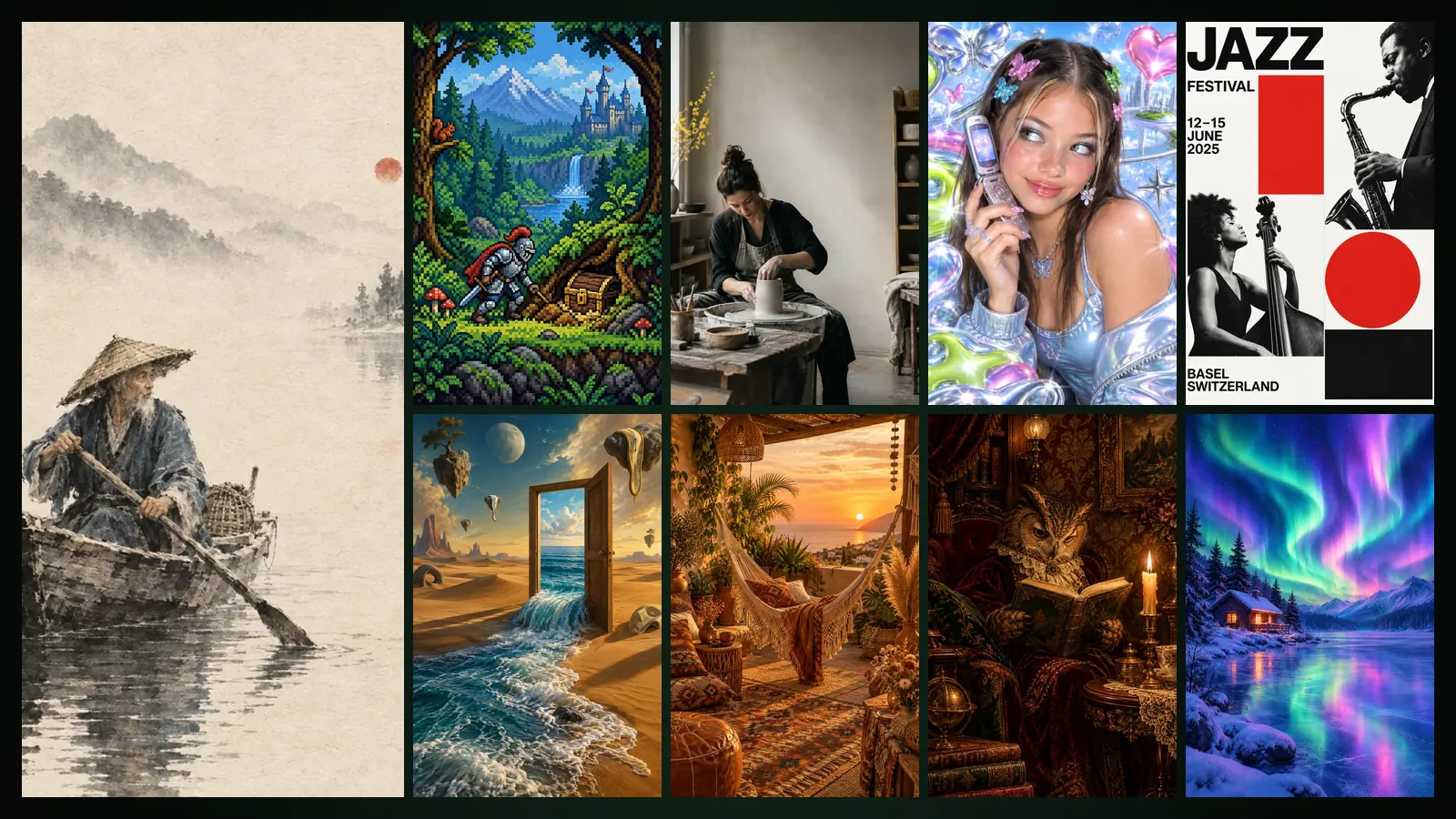
The “Design Styles” category in Image Studio and the style picker in Design Studio now share the same 21 styles: you write your subject, pick a style, and the result is drawn in the language of that movement. The newest member of the list is Ink Wash Painting, with rice paper and brush strokes.
In this post we introduce the styles briefly and give a few suggestions for choosing the right one. Tips and sample subjects for every style are in the design styles guide.
Why one list of styles?
When you like an image in Image Studio and want to carry the same mood into a poster, both studios need to understand the style the same way. So we keep the styles in a single source: an image made with “Pop Art” in Image Studio and a poster with “Pop Art” in Design Studio draw on the same recipe. You can move an Image Studio image straight into a design with the “Use in Design Studio” button.
The 21 styles
- Clean and ordered: Minimalism, Swiss Design, Editorial, Vector Art.
- Dense and colourful: Maximalism, Pop Art, Collage Art, Graffiti, Bohemian.
- A sense of era: Retro, Y2K, Victorian Style, Pixel Art.
- Future and light: Futuristic, Cyberpunk, Glassmorphism, Aurora.
- Textured and handmade: Clay Style, Handwritten, Surreal Design, Ink Wash Painting.
Why does Ink Wash Painting stand apart?
Ink Wash Painting follows the East Asian sumi-e tradition: the main subject is painted in the foreground with a dry brush, and everything farther away dissolves into wet ink on the paper. Distant mist and mountains appear only when they suit the scene; colour is limited to pale tones with a single red accent. The same language gains motion in Animation Studio as Sumimation; we introduced both ink styles in our Ink Landscape and Sumimation post.
Tips for choosing the right style
- Think about the message first: clean styles read better for announcements and information, dense styles for campaigns and events.
- Write the subject briefly and use “Improve with Sam” to turn it into a prompt in the style’s language; Sam’s share shows as an estimate first and only actual use is charged.
- Try three or four styles on Draft first, then produce the one you like on Standard or Cinema.
- If you need vector output, choose flat-colour styles. For styles with gradients and glass effects, Design Studio does not recommend vector export; gradients become stepped and give a poster effect.
How much does it cost?
In Image Studio, at the Basic list price, a Draft image is 4,376 tokens ($0.03, with 3 free Drafts a month), Standard 16,042 ($0.10) and Cinema 32,084 tokens ($0.19). In Design Studio a draft design is 11,376 tokens ($0.07). The Free plan applies ×1.3 and Pro ×0.8. Current prices are on the pricing page. The studio overviews are on the Image Studio and Design Studio pages.
Frequently asked
Are the styles the same in Image Studio and Design Studio? Yes. Both studios use the same 21 styles from the same recipe.
Can I create without picking a style? Yes. In Image Studio you can describe any image yourself; in Design Studio choose “Free” and let Sam pick the style.
Which subjects work best in Ink Wash Painting? Scenes with a clear main subject in the foreground: a figure, an animal, an object. Nature scenes also get mist and mountains.
Is Improve with Sam paid? Yes, there is a small token share. The estimate appears next to the button and only actual use is charged.