
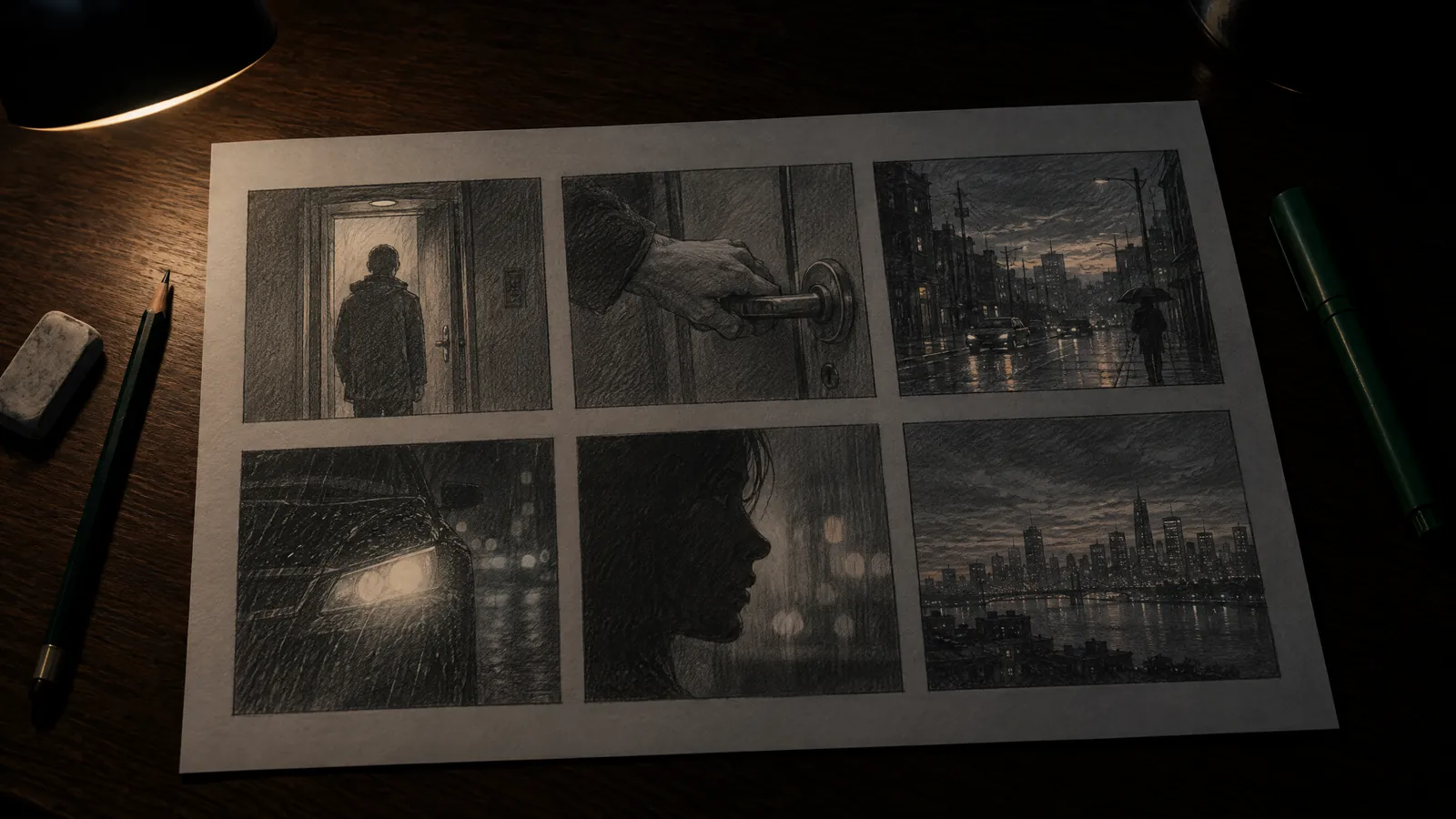
Short answer: A storyboard is a frame-by-frame plan of a film or video, drawn before shooting or production. Each frame shows one shot; underneath it go the scene number, shot type, camera movement, duration and a note on dialogue or sound. It is sometimes called a "visual script" or a "shooting sketch", but most teams simply say storyboard.
If you are working with an agency for the first time, or you have decided to make your own promo video, you will meet this word early: "Let's see the storyboard first." If you cannot draw, that may sound daunting. It need not; a good storyboard's value lies not in the beauty of its lines but in the clarity of the decisions it records. This guide starts with the definition and covers what goes in a frame, a sample strip, the difference from an animatic, and the cost of preparing a storyboard with AI.
What does storyboard mean, and is there another word for it?
A storyboard is the frame-by-frame plan of a film, commercial or animation, drawn before shooting. Each frame shows a single shot: what is in frame, where the camera is looking from, how long the shot lasts and what is heard at that moment. The word literally means a board that tells a story; there is no widely used alternative, and most teams use it as it is.
In academic writing you will sometimes see "pictorial script"; in the industry people also say "visual script", "shooting sketch" or simply "board". Whichever you use, the meaning is the same: the document that lines up in pictures what the screenplay tells in words. The screenplay says what will happen; the storyboard says how it will look.
Where and when was the storyboard first used?
The storyboard was born in an animation studio in the early 1930s. The Walt Disney Studio credits the idea to animator Webb Smith: drawing scenes on separate sheets of paper, pinning them to a board and reading the story in that order. The first complete storyboard is generally considered to have been made for the 1933 short Three Little Pigs. Within a few years the method spread to other studios.
Before that, comic-strip-like story sketches were already drawn for the short cartoons of the 1920s. The innovation of the board was that the sheets could be moved around: the team could discuss the flow of the story and add or remove scenes before animating a single frame. Live-action cinema and advertising later adopted the same logic; planning a social media video today rests on the same idea.
What goes in a storyboard frame?
A storyboard frame has two parts: a drawing or image on top and short notes below. The drawing shows the framing; the notes say what the drawing cannot. The most common fields are scene number, shot type, camera angle and movement, duration, dialogue or sound, transition and a director's note. The table below gives an example for each field.
| Field | What to write | Example |
|---|---|---|
| Scene and frame no. | Which frame of which scene it is | 3B (scene 3, frame 2) |
| Shot type | The camera's distance from the subject | Close-up |
| Camera angle | The height of the viewpoint | Eye level, low angle |
| Camera movement | Movement of the camera or lens, drawn as an arrow | Horizontal pan from left to right |
| Duration | Seconds the frame stays on screen | 4 s |
| Dialogue and sound | Speech, voice-over, effects, music cue | VO: "Fresh every day." |
| Transition | How you move to the next frame | Cut, dissolve |
| Note | Light, color, props, details to watch | The logo on the cup must be legible |
Shot types: a short glossary
- Wide shot (establishing shot): the whole location; it tells the viewer where they are.
- Full shot: the character is in frame from head to toe.
- Medium long shot (American shot): from the knees up; common in two-person conversations.
- Medium shot: from the waist up; gesture and face read together.
- Close-up: shoulders and face; this is where emotion is carried most.
- Extreme close-up (detail shot): a hand, a button, a label; the basic shot of product videos.
- Over-the-shoulder shot: looking from behind one character's shoulder at another; the standard pattern of dialogue scenes.
- Point-of-view shot: the camera becomes the character's eyes, and the viewer sees what they see.
How do you make a storyboard?
You do not need drawing skills to make a storyboard; stick figures, boxes and arrows are enough. What matters is deciding the order, the framing and the duration. The work starts from a text, the text is split into scenes, each scene is divided into a few frames, and at the end the strip is read as a whole and corrected. The sequence below is enough for a short video.
- Lock the text. A screenplay, a voice-over script or at least a bullet-point flow. Text that changes later makes you redo the storyboard too.
- Choose the format. Horizontal 16:9, vertical 9:16 or square 1:1. Draw the frames in that ratio; planning a vertical video with horizontal frames misleads the composition.
- Split into scenes. A new scene starts when the location or time changes.
- Decide the number of frames. Every new shot is a frame. If you think of a 30-second video in shots of 4 to 5 seconds, you get 6 to 8 frames.
- Sketch roughly. First the framing and where the subject is; detail comes later.
- Show movement with arrows. Draw arrows outside the frame for camera movement and inside it for subject movement.
- Fill in the notes. Duration, sound and transition go under each frame.
- Read the strip as a whole. Line the frames up side by side at small size; repeated shot types and missing reaction frames show up at a glance.
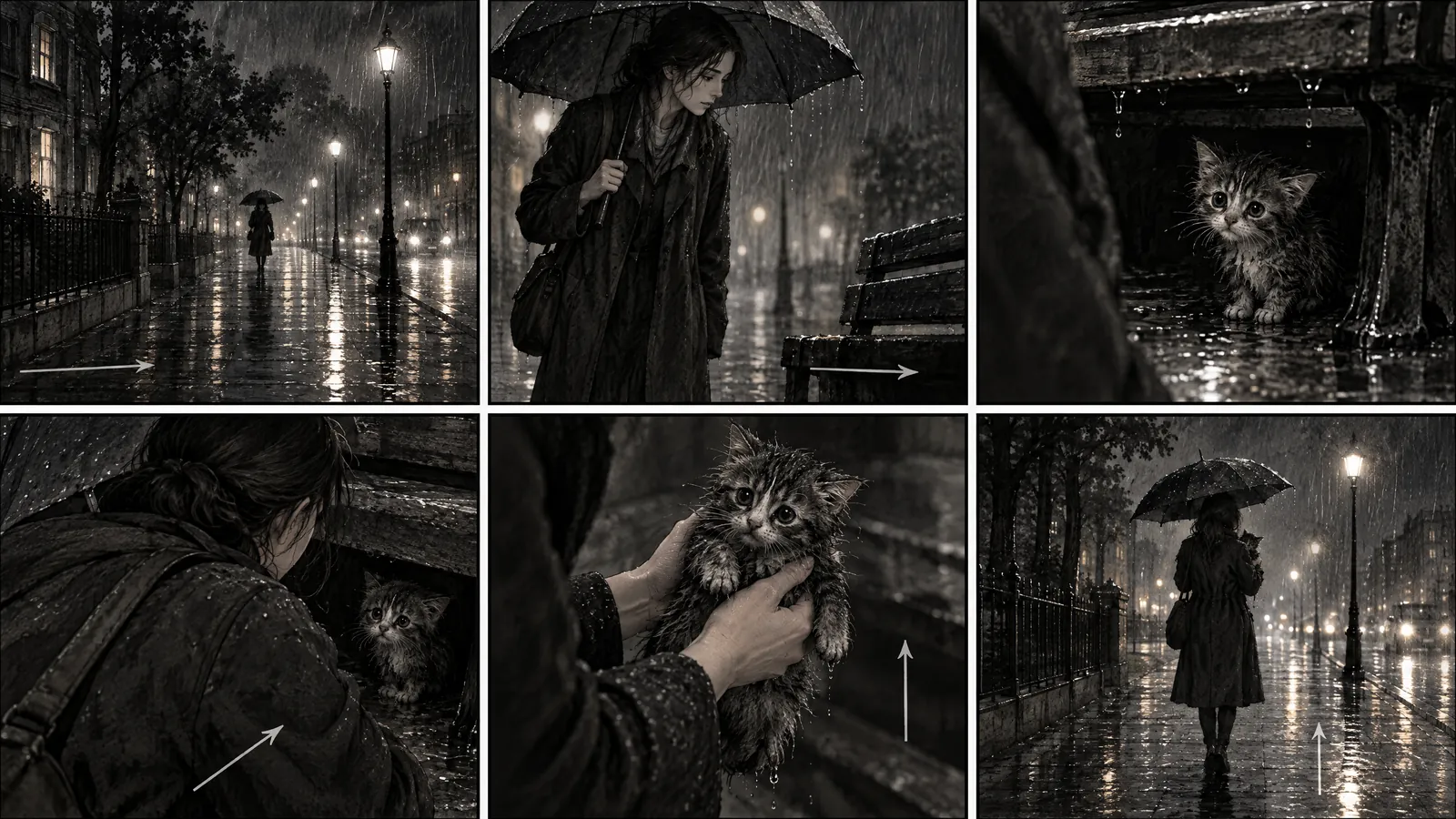
Storyboard example: what does a 30-second promo look like in 6 frames?
The example below was written for a 30-second vertical promo video for a neighborhood ceramics studio. The total length is the sum of the frames: 4 + 5 + 6 + 5 + 5 + 5 = 30 seconds. Each row is a frame; instead of a drawing we give a description of the image, which you can fill with a rough sketch or a generated image.
| Frame | Duration | Shot and camera | Image | Sound |
|---|---|---|---|---|
| 1 | 4 s | Wide shot, slow push-in | Morning; the studio's shop window, an "Open" sign on the glass, unglazed bowls on the shelves inside | Music starts, door chime |
| 2 | 5 s | Extreme close-up, static | Wet clay on a spinning wheel; two hands open up the center | VO: "Every bowl starts with a handful of clay." |
| 3 | 6 s | Medium shot, eye level | The potter in an apron cuts the bowl off the wheel, lifts it onto a board and smiles | The hum of the wheel fades |
| 4 | 5 s | Close-up, vertical tilt from top to bottom | The kiln door opens, orange light falls on the shelf | VO: "It waits a night in the kiln." |
| 5 | 5 s | Over-the-shoulder shot | A participant cups the bowl they made and looks at its color | A short laugh, the music swells |
| 6 | 5 s | Static, end card | Blurred shelves behind; in front, the studio's name, workshop days and address | VO: "Your seat at the Saturday workshop is ready." |
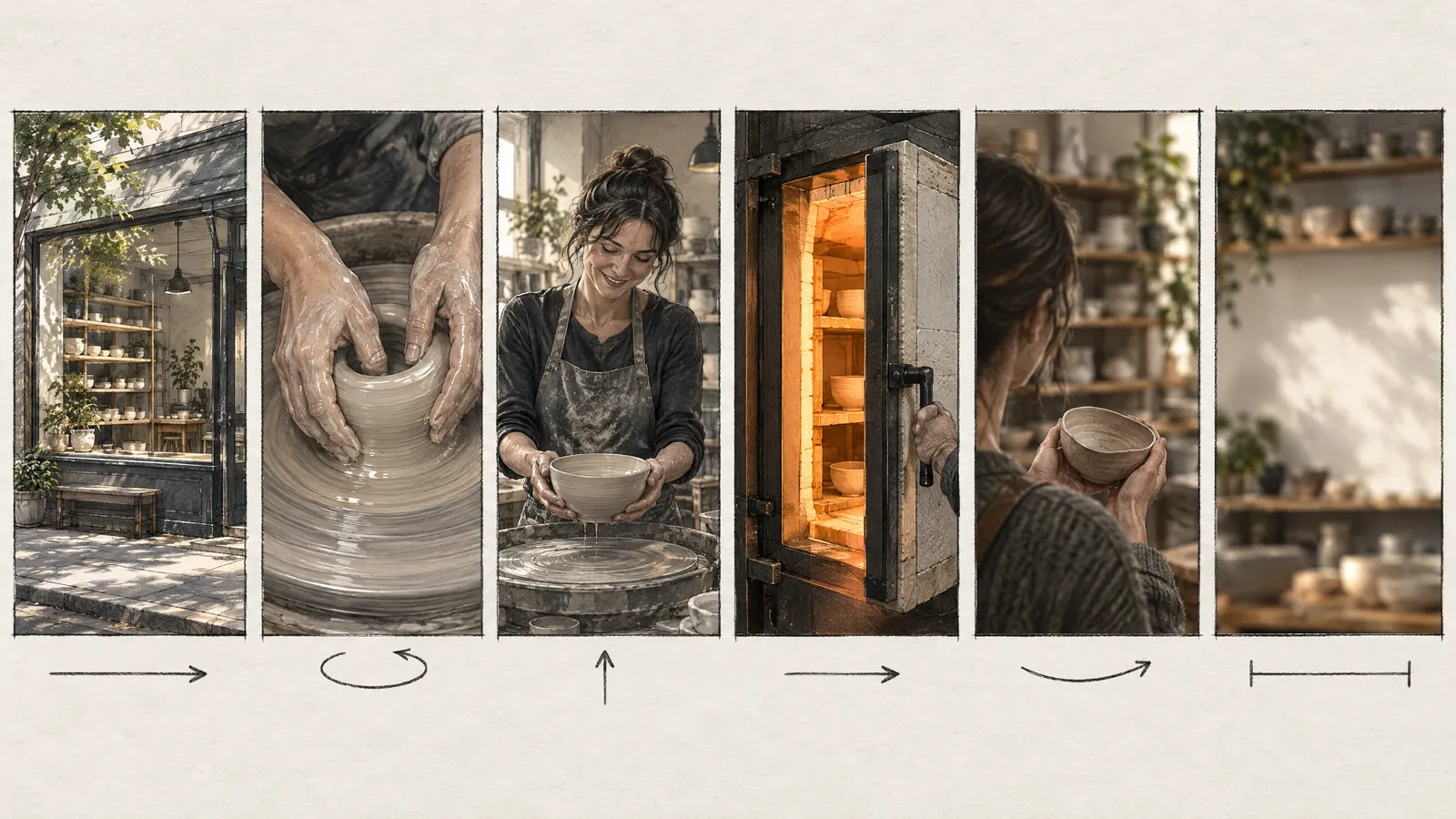
Notice how the strip is edited: it moves from wide to detail, turns to the person, then moves on to the product and the customer. Two frames carry the voice-over, one is a silent emotional moment, and the last frame ends with a single call to action. If you want to use the same strip for horizontal 16:9, the composition of frames 1 and 6 changes the most; the middle frames can be carried over by cropping.
What is the difference between a storyboard and an animatic?
An animatic is the storyboard frames laid out on a timeline with their durations and played with voice-over, effects and temporary music. The storyboard shows what will be seen; the animatic lets you feel when and for how long it will be seen. Frames that run too long, voice-over that does not fit and a stumbling rhythm show up in the animatic and often stay invisible on paper.
| Document | What it shows | When it is made | The question it answers |
|---|---|---|---|
| Moodboard | Color, light, texture, reference images | At the idea stage | What feeling will it carry? |
| Screenplay | Events, locations, dialogue | At the very start | What happens? |
| Storyboard | Framing, shot type, movement, order | After the screenplay | How will it look? |
| Animatic | Frames, durations and sound together | After the storyboard, before production | Does the rhythm work? |
| Shot list | Technical breakdown of shots: lens, setup, crew | During shoot preparation | Which shot are we filming on which day? |
How do you prepare a storyboard with AI, and what does it cost?
Preparing a storyboard with AI means writing a scene description instead of a drawing for each frame and generating an image. The real gain is continuity more than speed: if frames are built from a character sheet and a single style description, the same person looks the same in all six frames. In Yeşilçam Studio the storyboard is a separate step, and the approved frame is the frame the video starts from.
The flow goes like this: you paste your story, the studio produces a screenplay with a scene breakdown, the character bible locks the face, costume and voice, and then a storyboard frame is generated for each scene. You regenerate any frame you do not like on its own; the video starts only from frames you approve. You will find the reasoning behind this approach in detail in our article on why the storyboard still matters in AI filmmaking.
As of October 2026, the Yeşilçam pricing page lists a storyboard frame at 4,376 tokens per scene and a six-frame strip at 26,256 tokens. At October 2026 prices a single 5-second draft video is 122,501 tokens, or roughly 28 storyboard frames. That ratio is the economic logic of making composition decisions at the frame stage; the table below shows the arithmetic along with the plan multipliers.
| Item | Tokens | Note |
|---|---|---|
| Storyboard per scene | 4,376 | About $0.03 at the Basic rate |
| 6-frame strip (6 x 4,376) | 26,256 | About $0.16 at the Basic rate |
| Same strip, Free plan (×1.3) | 34,133 | About 14% of the monthly 250,000-token allowance |
| Same strip, Pro plan (×0.8) | 21,005 | With the Pro multiplier |
| Draft image | 4,376 | 3 a month are free |
| 5 s video at the Draft tier | 122,501 | Equal to about 28 storyboard frames |
The price of every generation is shown before it runs, and failed generations are refunded automatically; the current table is on the pricing page. For all the routes from storyboard to video, see our guide to making videos with AI, and for the studio itself, the Yeşilçam Studio page.
What does a storyboard not solve, and when is another route better?
A storyboard is a planning document; it does not strengthen a weak idea or clarify a vague text on its own. If the story does not work, the strip only makes that more visible. Frames generated with AI have their own limits too: crowd scenes, fine hand work, text in frame and complex camera moves can look convincing in a frame and fall apart in the video.
- If you are shooting with a real set, crew and actors, you need a shot list and a location scout alongside the storyboard; a generated frame knows nothing about lens, light and location constraints.
- For scenes that need choreography, such as fights, car chases or dance, sequence drawings by a storyboard artist are more reliable.
- If there are strict brand rules, such as logo placement, legal text and product proportions, the frames need approval from a designer or an agency.
- In an organization with a multi-layered approval process, showing an animatic instead of individual frames reduces misunderstandings.
AI frames work well as a fast first draft and as the starting point of the video; they do not replace shoot planning and art direction.
Frequently asked questions
Are a storyboard and a screenplay the same thing? No. A screenplay tells events, locations and dialogue in words; a storyboard turns that text into images, frame by frame. The screenplay is written first and the storyboard is built on top of it. In a short social media video the screenplay may be a few lines of voice-over, but you still need a storyboard.
Do you need to know how to draw to make a storyboard? No. Stick figures, boxes and arrows are enough to show framing, order and movement. What the team looks at is not the beauty of the drawing but the shot type, duration and sound. If you want images, you can write a description for each frame and generate it with AI.
How many storyboard frames does a 30-second video need? It depends on shot length. If you think in shots of 4 to 5 seconds, 30 seconds comes to 6 to 8 frames; a fast-cut commercial needs more. Every new camera position or shot type means a new frame.
What should a storyboard template look like? Empty frames in the video's aspect ratio (16:9, 9:16 or 1:1), with fields under each frame for scene number, shot type, camera movement, duration, sound and notes, are enough. Fitting 6 frames on a page keeps it legible and lets you see the whole strip at a glance.
Can you make a storyboard with AI for free? To a limited extent, yes. Yeşilçam's Free plan gives 250,000 tokens a month and applies a ×1.3 multiplier to prices; a storyboard frame then costs about 5,689 tokens, and the monthly allowance covers more than 40 frames. Three draft images a month are also free.