
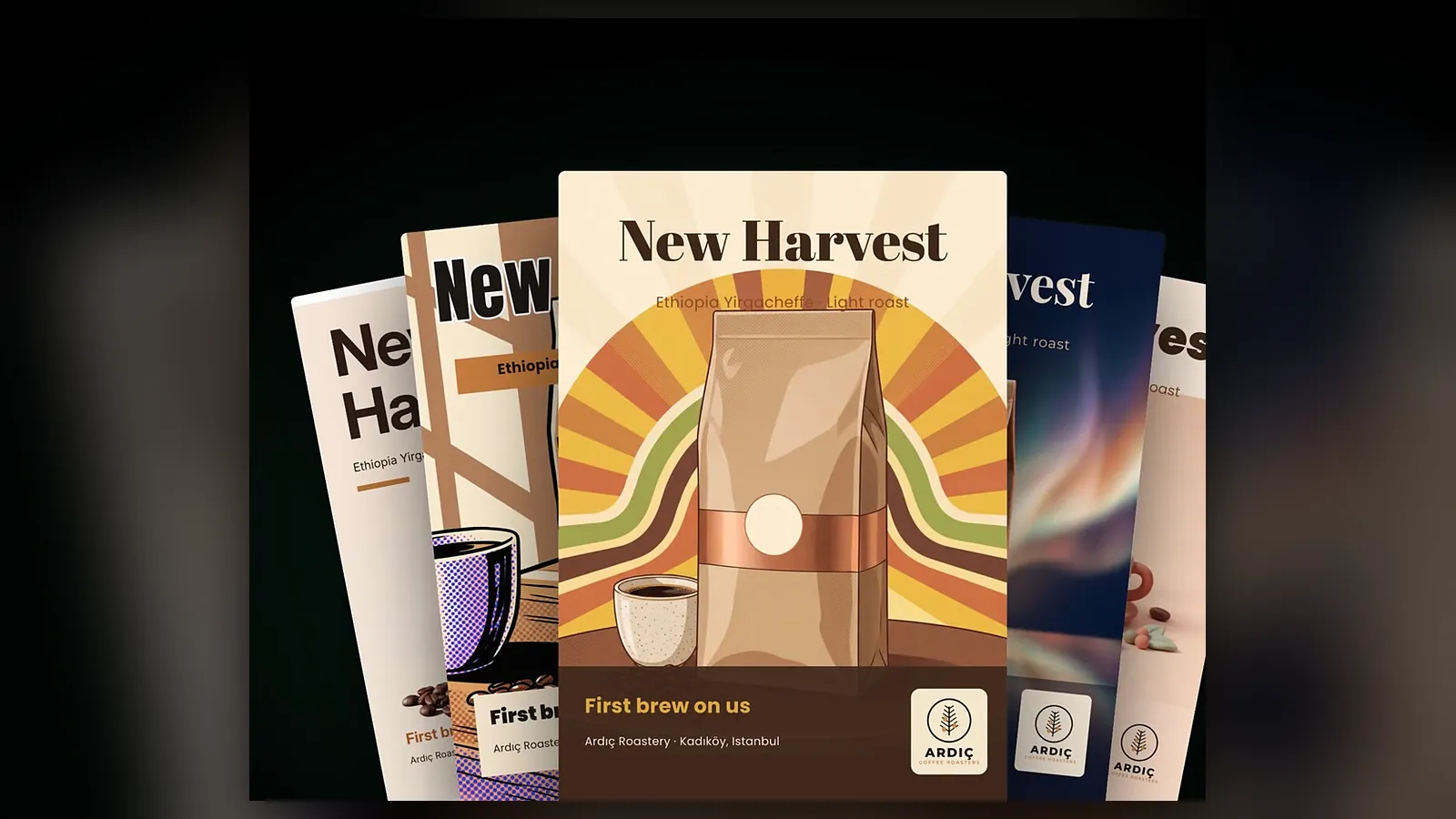
Design Studio is the Yeşilçam Studios workspace for print-ready and digital design: you pick a canvas, give it your brief, texts and images, Sam builds the layout and generates the image layer, and you add the finishing touches in the editor before exporting the poster as CMYK PDF/X, SVG or EPS. As of October 2026 the studio is open to everyone at /app/design.
This post explains why we built a separate design studio, how to get your first design out, and a few habits that pay off. For a step-by-step walkthrough, see the Design Studio getting-started guide.
Why a separate design studio?
Image Studio made it easy to generate good images, but a poster is more than an image. The date, address, price and brand name have to be spelled right, the logo has to sit where it belongs, and the file has to reach the print shop in the format it expects. With methods that paint the text into the image, one wrong letter meant regenerating the whole picture.
That is why Design Studio never paints your text into the image: every text you give is used word for word and becomes an editable layer. The logo, shapes and product images are separate layers too. Sam takes care of the layout and the background image; the final say stays with you.
How do you get your first design?
- Open a project. A project is like a folder for one client or job: it keeps the poster, the business card and the social media visuals together.
- Pick the canvas: print sizes from A6 to A0, business card, postcard, brochure, menu, invitation, roll-up and banner; or Instagram, Story / Reels, YouTube, LinkedIn, a 16:9 slide and custom sizes.
- Choose one of the 21 design styles, or leave it on “Free” and let Sam choose.
- Add the brief, the brand name, your texts (headline, subheading, body, call to action, details) and your images; pick the quality and press “Design with Sam”.
- Adjust text, colours and layers in the editor, then export.
A few tips that help
- Start with Draft: Draft quality is a fast, affordable try-out. Once you like the composition, use “Upgrade to 4K” to keep the same layout.
- Give each image an instruction: A short note such as “Logo bottom right, small” or “Product centred, with shadow” steers Sam’s layout directly.
- Keep the guides on: The pink line is the trim line; the 3 mm bleed outside it is cut off. Keep texts and logos inside the green dashed safe area.
- Check the print preview: For CMYK exports, the on-screen soft proof marks in magenta the areas that will look duller in print.
- Describe the change: With “Improve with Sam”, give an instruction such as “Make the headline bigger, move the logo to the top left”; the layers you want to keep stay in place.
Exports and plans
PNG, JPG and WEBP are available on every plan. On the free plan, downloads up to 720 pixels on the long edge carry no watermark; larger ones do. Basic and Pro subscriptions unlock RGB or CMYK PDF/X-4 and PDF/X-1a with bleed and crop marks, SVG, EPS and “Add detail”, which sharpens large formats tile by tile. For the print-shop details, read the print export guide.
How much does it cost?
At the Basic list price a draft design is 11,376 tokens ($0.07), a Print 4K image 44,042 tokens ($0.26) and a Premium 4K image 71,167 tokens ($0.43); a print export (PDF/X, SVG, EPS) is 1,021 tokens ($0.01). The Free plan applies a ×1.3 multiplier and Pro a ×0.8 multiplier. Sam’s layout share is an estimate; only actual use is charged and the rest is refunded. If a design cannot be created, the full amount comes back. Current prices are on the pricing page.
The studio overview lives on the Design Studio page.
Frequently asked
Can I use Design Studio on the free plan? Yes. You can create and edit designs and download PNG, JPG or WEBP up to 720 pixels on the long edge without a watermark. PDF, CMYK, SVG, EPS and Add detail are available on Basic and Pro subscriptions.
Is my text painted into the image? No. Texts are used word for word and stay editable layers, so fixing a typo never requires regenerating the image.
How many designs can be prepared at once? Up to two designs at the same time. You can leave the page while they are prepared; the design appears in its project when ready.
What happens to my tokens if a design fails? The tokens spent are refunded to your account, and you can try again with the same content.