
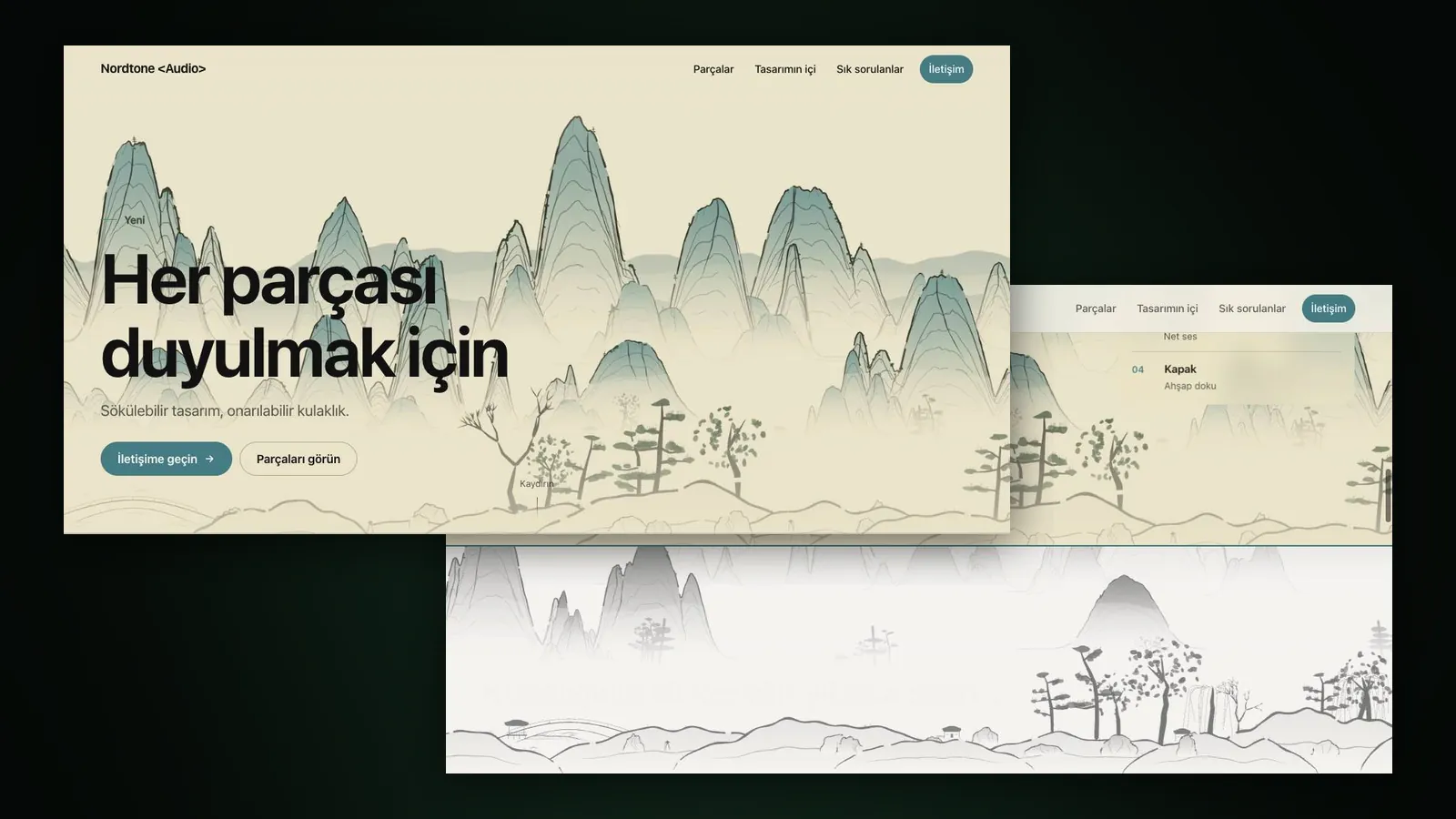
Website Studio turns an Assemble / Disassemble video you made in Film Studio into a single-page product site that plays frame by frame as visitors scroll. The studio writes the copy, builds the page and hosts it; you can keep the site behind a private link, make it public, or download it as a ZIP and host it anywhere.
As of October 2026 the studio is open at /app/website. The setup details are in the Website Studio guide; here we explain why we took this route and what to watch for on your first site.
Why a site that starts from a video?
The most memorable product pages are the ones where the product comes apart or snaps together as you scroll. Building that by hand takes a video exported frame by frame, custom code and good copy. The Assemble / Disassemble video already produced the frames; what was missing was the page itself.
Website Studio fills that gap: the video frames become the backbone of the page, the copy is written for your product, and the menu and sections come ready. If you are curious about the technique, our scroll-driven product page article covers it in detail.
How do you build your first site?
- Make an Assemble / Disassemble video in Film Studio; when it is ready, press “Create a website from this video”.
- Enter the brand name, product name, main headline and key messages. Every field is optional; Sam fills any blanks with sample copy that suits your product.
- If you like, add your existing website address; the brand name, colours, logo and copy are taken from it.
- Choose the sections for the menu (Features, Story, Gallery, FAQ, Contact), the theme, the accent colour and the site language.
- Check the quote and press “Create the site with Sam”; within a few minutes the site appears in Website Studio.
Tips
- Keep it private first: A new site starts as “Only you”. Review the copy and look, then switch it to “Public”; only then can search engines list it.
- Try the free gallery option: “Use video frames only” puts the keyframes and selected moments from the video in the gallery at no cost. If you want to see your product in realistic settings, “Generate images” is paid.
- Add a second scene: Another Assemble video or an image can join the page as a second scene.
- Try the background: The “Ink landscape” background adds a light shan shui landscape that flows behind the page as visitors scroll; it stays still on devices with reduced motion.
- Fix things later: Editing the copy and theme and then choosing “Save and repackage” is free.
Publishing, sharing and ZIP details are in the guide to publishing your site.
How much does it cost?
At the Basic list price the frames, packaging and hosting line is 8,751 tokens ($0.05), and each generated image is 8,751 tokens ($0.05). Copywriting appears as its own line in the quote. The Free plan applies ×1.3 and Pro ×0.8; failed builds are refunded. Current prices are on the pricing page; the studio overview is on the Website Studio page.
Frequently asked
Do I need an Assemble / Disassemble video for Website Studio? Yes. As of October 2026 a site is built from an Assemble / Disassemble video, which you can make in Film Studio.
Can I publish the site on my own domain? You can download the whole site as a ZIP and host it on any server you like.
Can other people see a private site? A site set to “Only you” is visible only to you, from inside the app. Once you make it public, anyone with the link can see it.
Do I pay again if I change the copy later? No. Editing the copy and theme and repackaging are free.