
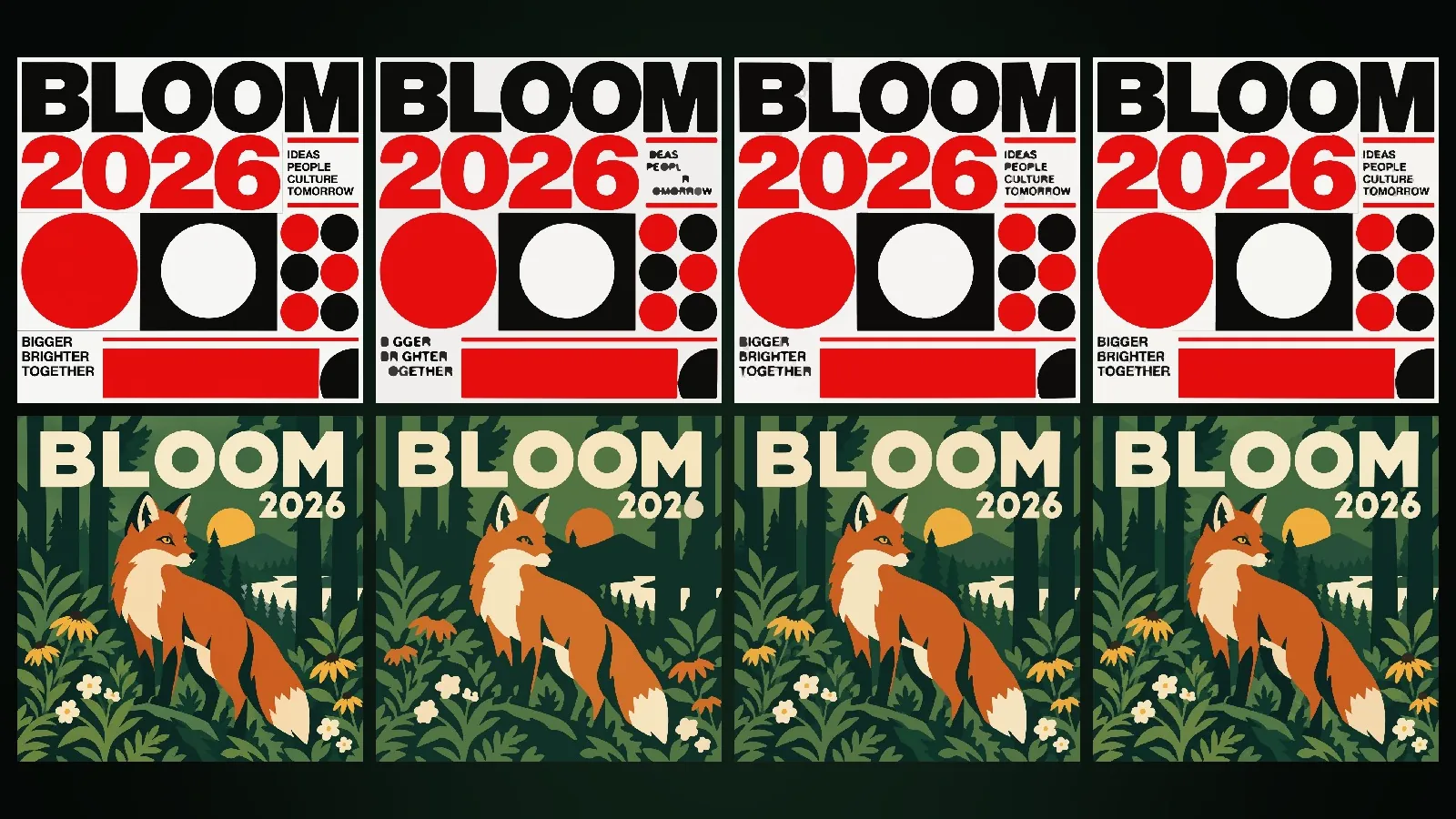
A raster image is a grid of pixels, each carrying a single colour; photos, screenshots and AI-generated images are raster. A vector image stores shapes as mathematically defined paths (points, lines and curves). The difference shows when you enlarge them: a raster image gets visibly pixelated and blurry as it grows, while a vector image is drawn equally sharp at any size.
This article explains how the two types work, what the SVG and EPS formats are, what converting a raster image to vector (tracing) does well and badly, and which format to choose for which job. In the last section you will find how to get vector output in Design Studio at Yeşilçam Studios.
How does a raster image work?
The quality of a raster image depends on its pixel count and the size it is printed at. That relationship is called resolution, and in print it is expressed in pixels per inch (ppi). An image 3,000 pixels wide printed 25.4 cm wide is 300 ppi; enlarge the same image to 1 metre and it drops to about 76 ppi.
The strength of raster is detail. Continuous tones such as light gradients in a photo, skin texture, clouds, mist and glass reflections only look natural in pixels. PNG compresses losslessly and carries transparency; JPG gives up some detail for a small file; WEBP offers both approaches for the web.
How does a vector image work?
A vector shape is defined by a series of anchor points and the curve segments between them. The curves used by design software and SVG are Bezier curves: each segment consists of two end points plus control points that set the curve's direction and tension. The inside of the path is filled with a colour, and its edge can get a stroke of any width.
Thanks to this structure, a vector image is resolution-independent. The same logo file can be printed 2 cm wide on a business card and 3 metres wide on a building, and the edges stay sharp in both cases. Colours are stored as values too, so they are easy to edit: you can change a brand colour with a single click.
What is the difference between SVG, EPS and PDF?
- SVG (Scalable Vector Graphics). An open, XML-based vector format defined by the W3C. Browsers display it directly; it is the first choice for the web, interfaces and digital work. It supports gradients and transparency.
- EPS (Encapsulated PostScript). An older single-page print format based on the PostScript language. Today it has mostly been replaced by PDF, but some printers, sign makers and cutting workshops still ask for EPS.
- PDF. Can carry vectors, raster images and text in one file. Its standardised subset for print is PDF/X; details in the print-ready PDF/X article.
How do you convert a raster image to vector?
Turning a raster image into vector is called tracing (or vectorisation). The software groups regions of similar colour, extracts the boundary of each region and smooths those boundaries with Bezier curves. The result is a vector file made of coloured shapes stacked on top of each other.
- The number of colours in the image is reduced (colour quantisation). Hundreds of tones become a few dozen flat colours.
- Neighbouring pixels of the same colour are merged into regions; very small specks are cleaned out.
- The outer boundary of each region is extracted and its corner points are found.
- The boundaries are fitted with curves; the detail setting decides how closely a curve follows the pixel edge.
- The shapes are stacked in the right order and the file is saved.
The detail setting is a trade-off. Low detail gives fewer paths, a smaller file and a more graphic look; high detail gives a result closer to the original but a heavier file.
Which images trace well, and which do not?
Tracing gives near-perfect results on images that are already made of flat colours: logos, icons, flat illustrations and graphic styles such as poster art, pop art and Swiss design. On continuous-tone images its limits show. A soft gradient is split into steps by colour quantisation; transitions such as glass, mist and auroras become posterised. Converting a photorealistic image to vector rarely makes sense: the file grows and the picture gets worse.
The rule is simple: if an image was conceived in flat colours and clean edges, go vector; if it was conceived in light and texture, stay raster. AI-generated images follow the same rule; an image generated in a vector illustration style traces cleanly, a cinematic photo does not.
What are the most common mistakes?
- "Saving" a raster file as EPS or SVG. Putting a JPG inside an SVG container does not make it vector; enlarge it and the pixels are still there.
- Keeping the logo only as a PNG. If the logo will later be used on signage, a vehicle wrap or a large poster, a vector master file is essential.
- Converting a photo to vector and sending it to print. Stepped gradients look even more obvious in print.
- Turning detail all the way up. Thousands of tiny paths bloat the file, slow it down in some software and can cause trouble on cutting machines.
Which format should you choose for which job?
The choice of format depends on where the file will be used and at what size. The table below is a starting point for the most common cases; if your printer or workshop has a specific requirement, that takes precedence.
| Job | Recommended format | Why |
|---|---|---|
| Logo and brand identity | SVG or EPS master file, plus PDF | Stays sharp at any size, colours are easy to change |
| Business card, brochure, poster print | PDF/X | Carries vector text and raster images together, under print rules |
| Photo-heavy image | PNG or JPG, with enough resolution at final size | Continuous tones only look natural in pixels |
| Web and interface icon | SVG | Small file, sharp at every screen density |
| Social media post | PNG, JPG or WEBP | Platforms expect raster and recompress it themselves |
| Signage, vinyl cutting, laser | EPS or SVG | Cutting machines follow the paths directly |
Many jobs combine both worlds: the headline and logo on a photo-heavy poster are vector, the background is raster. Because PDF can carry that combination in a single file, it is the format most often requested for print.
How do you get vector output at Yeşilçam Studios?
In Design Studio, a design is made of layers. Texts, shapes and the Ink landscape layer are vector from the start and are written as real paths at export. The image layer (background) is raster; when you export SVG or EPS it is converted into vector paths by tracing.
- In "Export", choose SVG (vector) or EPS (vector, print shop) as the format.
- Pick Low, Medium or High under "Vector detail".
- Use "Vector preview" to see the result before downloading. The preview also shows the number of paths and the approximate file size.
- Download when you are happy with it.
For styles built on gradients and glass effects, such as Glassmorphism, Aurora, Y2K, Editorial and Ink Wash Painting, the dialog warns you: in these styles gradients become stepped and a poster effect appears. You can still download. Flat-colour styles such as Vector Art, Pop Art and Swiss Design trace cleanly. Before bringing an image into Design Studio, you can also generate it with the same 21 design styles in Image Studio and send it to your design with "Use in Design Studio".
On the raster side, for large print jobs that need sharpness, "Add detail" redraws the image layer tile by tile at print size, adding texture and sharpness. SVG, EPS and Add detail are available on Basic and Pro subscriptions. A vector export has a list price of 1,021 tokens (about $0.01), and Add detail costs 29,576 tokens per tile (about $0.18), or 44,042 tokens per 4K tile (about $0.26); these are Basic list prices, and ×0.8 applies on Pro. These figures apply as of October 2026, and current prices are on the pricing page; for step-by-step use, see the SVG, EPS and Add detail guide.
Frequently asked
Can an AI-generated image be vector? Image generation produces raster, but the result can be converted to vector by tracing. In flat-colour styles with clean edges the result is clean; in photorealism the gradients become stepped.
Does my printer want EPS or PDF? Most current printers prefer PDF/X. EPS is mostly requested for signage, cutting and older workflows. If you are not sure, ask your printer.
How should I choose the vector detail level? Start with a Medium preview. If details are lost, move to High; if the file is larger than needed or you want a more graphic look, move to Low.
Do my texts stay sharp in SVG? Design Studio does not paint texts into the image; it keeps them as separate layers and draws them as vector at export. That is why they stay sharp at any size.
Can I download SVG on the free plan? No. SVG and EPS are available on Basic and Pro subscriptions; on the free plan you can download PNG, JPG and WEBP.