
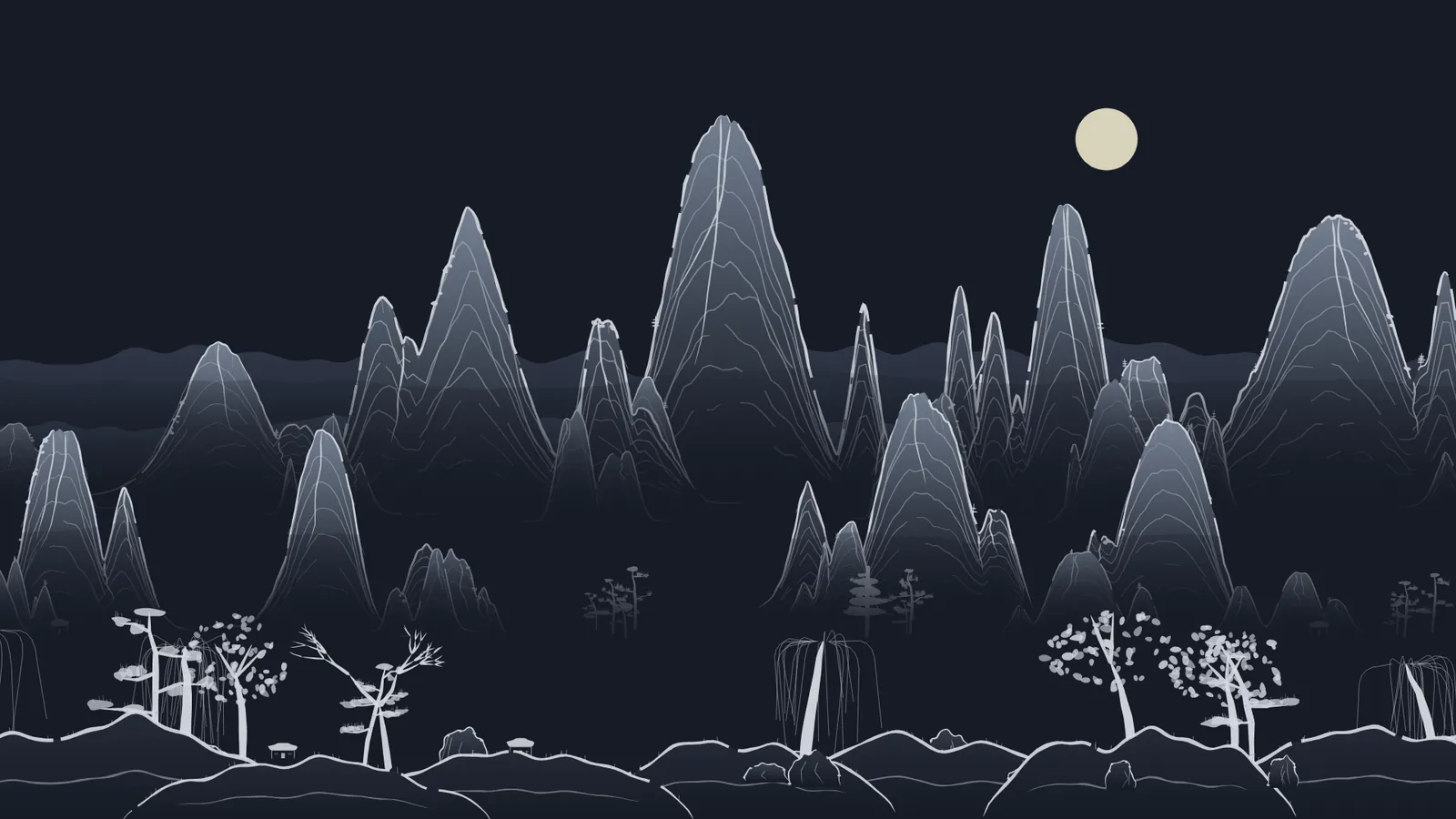
Ink Landscape is an Animation Studio style in which the camera glides over an endless Chinese ink landscape, or shan shui. Misty mountains, pines, lakes, pavilions, arched bridges and boats are painted with a brush as the camera moves; because no images are generated it is one of the most economical animation styles, and the same landscape is also available as a vector layer in Design Studio and as a page background in Website Studio.
How does Ink Landscape work?
In Ink Landscape everything is drawn by Yeşilçam Studios’ own landscape engine: layer upon layer of misty mountains, distant ranges, pines and willows, rocks, rippling lakes, islets, houses, lakeside pavilions, arched bridges, fishing boats and small travellers. The camera glides continuously from left to right, and the foreground and background move at different speeds to give a sense of depth.
The landscape never ends and there are no cuts between scenes. When the scene changes, the same landscape cross-fades to a new palette, season or time of day. That makes Ink Landscape a good fit for a seamless background video, a calm poetry reading or a meditative travel narrative.
How do you make an Ink Landscape video?
- Open the Ink Landscape card on the Animation page, or go to /app/animation/inkland in the app.
- Write your idea or text: a journey, a poem, a short fable or a story about a season. The director writes a short, poetic narration for each scene.
- Choose a Color palette and a Season, or leave both on Auto.
- Set the aspect (16:9, 9:16 or 1:1), the length and the language; change the voice, music and caption settings if you need to.
- Choose the quality: Premium gives the best story and scene craft, Professional is fast and economical.
- Watch the preview in your browser straight away, and when you like it, render the video on the server as MP4, WebP or GIF.
Which palettes and seasons are there?
The form offers five palettes plus an automatic option:
| Palette | Look |
|---|---|
| Ink | Black ink on rice paper, the classic look |
| Sepia | Warm, aged paper tones |
| Blue-green | Blue and green mineral colours on the peaks |
| Night | Moonlit dark paper |
| Yeşilçam | Mint lines on a deep green ground |
The Season options are Spring, Summer, Autumn and Winter. Spring brings blossoming trees, autumn red leaves, winter bare trees and snow. As the note in the form says, the director may vary palette and season per scene. Usually one palette is kept for the whole film, with a different palette for one or two scenes, such as a dream or a memory.
Where do birds, snow and the other effects come from?
The director picks the effects and the time of day scene by scene, based on your text. A scene may show a flock of birds crossing the sky, blossom petals drifting in spring, falling leaves in autumn, snow in winter, rain or fireflies at night. The time of day can be day, dusk or night; dusk brings warm light and a low sun, night is painted in a dark palette lit by the moon. Describing what you want in your text is enough; writing "fireflies by the lake at night", for example, lets the director build that scene accordingly. Because the landscape draws itself, a specific object is not guaranteed to appear at a specific second; narration written about the scenery in general works best.
How much does Ink Landscape cost?
Ink Landscape does not generate images; you pay for the director writing the script, the narration voice, the music and the render on the server. That is why it costs far fewer tokens than styles that use image or video models. The price is shown in tokens in the form before you produce, with your plan multiplier (Free ×1.3, Basic ×1.0, Pro ×0.8) already applied, and any unused part is refunded when the job finishes. The details are in the animation cost guide; current prices are on the pricing page.
The Ink landscape layer in Design Studio
The same landscape is also a tool in Design Studio. When you choose the Ink landscape tool in the editor, a full-bleed background layer is added to your design. The layer has these settings:
- Palette: Ink, Sepia, Blue-green, Night or Yeşilçam.
- Season and Density: four seasons and a Sparse, Medium or Dense landscape.
- Elements: Water, Buildings, Figures and Mist can each be switched on or off.
- Sky and Seal: sun, moon or an empty sky; optionally a small red seal in the corner.
- Another landscape and Travel the landscape: make a new landscape, or slide along the same one to pick a different stretch.
The layer is true vector artwork: it is exported as real paths to SVG, EPS and PDF/X and converts cleanly to CMYK. The layer is free; your plan’s rules apply to export formats. For more, see the editor and legibility guide.
The ink background in Website Studio
In Website Studio your site’s Background setting can be Plain or Ink landscape. With Ink landscape, a light shan shui landscape in your theme colours flows behind the page as visitors scroll. For visitors who have reduced motion turned on, the landscape stays still. To build a site, see the Website Studio guide.
Frequently asked
Does Ink Landscape generate images? No. The whole landscape is drawn by Yeşilçam Studios’ own engine. That keeps the price low and the preview opens instantly in your browser.
Can I add my own character? Ink Landscape has no character option; small travellers and boats appear in the landscape on their own. For an ink wash film with a main character, use the Sumimation style.
Is the Ink landscape layer in Design Studio paid? No, the layer is free. Your plan’s usual rules and prices apply to things like print-ready export.
How long can the video be? You set the length with the slider in the form, from 10 to 120 seconds in 5 second steps. Because the landscape is endless, long videos do not feel repetitive.
Can I use it as a looping background? Yes. Turn the narration off and make a video with music only, or a silent one, to use as a background in presentations, on screens or on social media.