
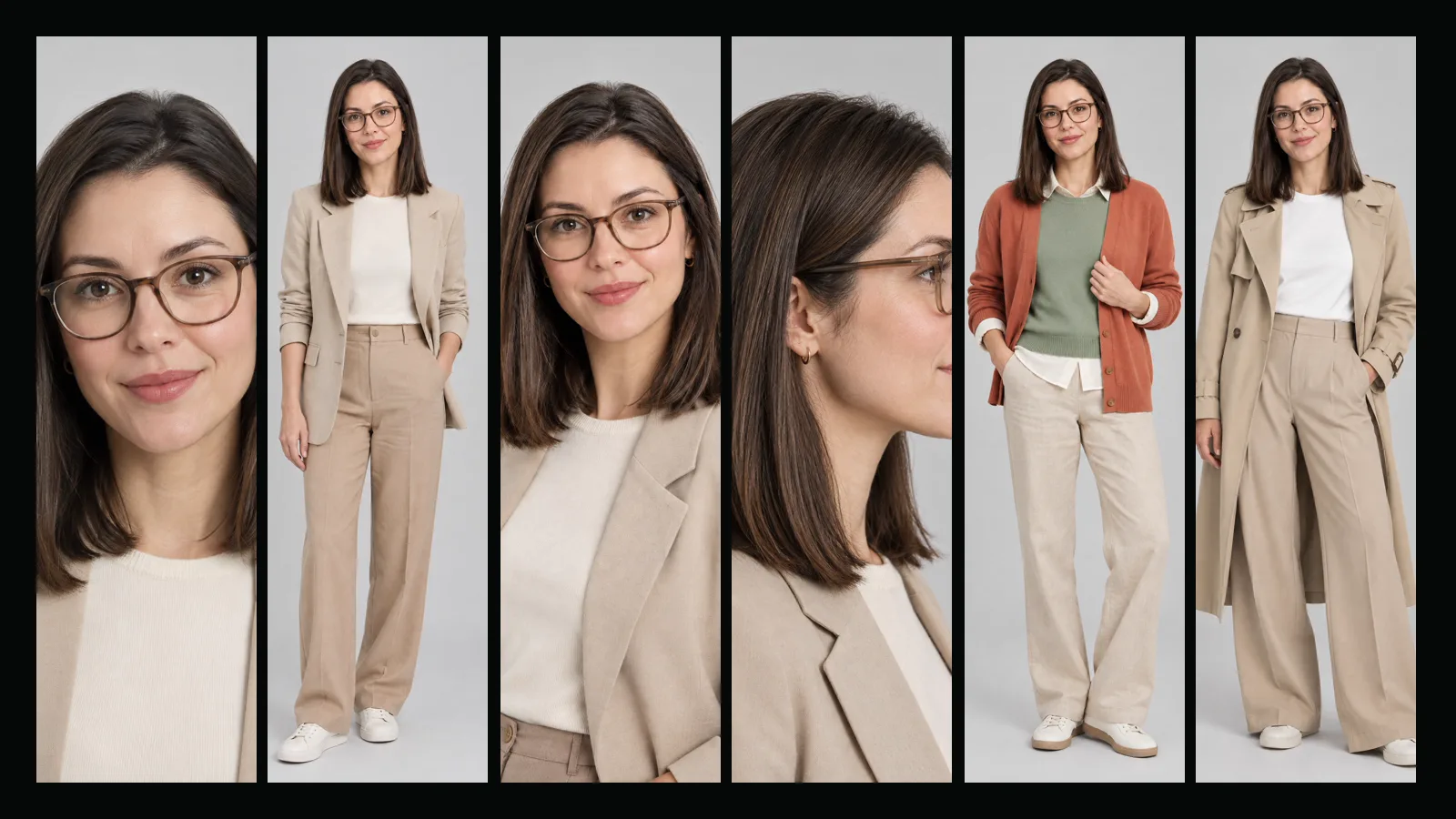
AI Influencer Studio creates one character that stays the same from picture to picture and from video to video. You describe the person, the studio produces a full character set, and that set is saved to your Characters library so every later video starts from the same face, hair, body and style. This guide covers the Create tab step by step.
Where do I start?
Open the studio at /app/influencer. The Create tab has three parts: the "Describe your character with Sam" box at the top, the option groups in the middle and the summary panel on the right (below the form on a phone). You can use any of them on its own. Many people let Sam fill the options from a few sentences and then adjust the result by hand; the Sam guide explains that route in detail.
What can I choose?
There are 19 option groups with 179 choices, and every choice has a small sample picture so you can see it before you pick it:
- Character type: natural, bold or avant-garde human looks, or a humanlike cat, dog, bird, frog, rodent or insect character.
- Gender, age, origin and skin color. Age has three choices only: Adult, Mature and Senior. There is no child or teenager option.
- Build, height, proportions, head shape and neck.
- Hairstyle (26 choices), hair color (13), eye shape (11) and eye color (8).
- Features such as freckles, dimples or natural makeup (up to six), distinctive marks such as tattoos or piercings (up to four) and facial hair.
- Style and accessories. An accessory can be marked "Always" or "Sometimes": a pair of glasses that is part of the look but not worn in every outfit, for example.
Every group is optional. Leave a group empty and the studio decides it in a way that fits the rest. For animal and insect characters the origin, skin and facial-hair groups disappear because they do not apply.
Can I use my own face?
Yes, on Basic and Pro. Tick the consent box ("the person in this photo is me, or I have their explicit permission; the person is over 18"), then add one clear photo. The photo goes through a safety check first; only then can you use it. With a photo, the studio keeps your identity (face, eyes, skin tone, apparent age) and applies only the styling choices such as hairstyle, hair color, outfit style and accessories. The photo is stored privately and used only for your own work. The safety guide explains exactly what is checked and where the photo does and does not go.
You can also add a style reference: any image from your library that shows the kind of clothes or overall look you want. It shapes the outfit, never the face.
What gets created?
A front portrait, a full-body view, a three-quarter view and a side profile are always created. On top of that you choose:
- Wardrobe looks (0 to 3): full-body pictures of the character wearing pieces from the capsule wardrobe in the profile. They are saved as outfit variants of the character.
- Place images (0 to 3): empty backgrounds of the character's recurring places, ready to be used in scene videos.
Pick a quality tier, Draft or Standard. Draft is quicker and cheaper and is ideal for trying ideas; Standard gives finer detail for the set you want to keep. The optional "Things I don't want" field works as in every other Yeşilçam form: write what must not appear, or leave it empty.
How much does it cost?
The price is per image and is shown before you start. Base prices are 11,667 tokens per Draft image and 20,417 per Standard image; your plan multiplier applies (Pro ×0.8, Basic ×1, Free ×1.3). A set with the four standard views, two wardrobe looks and two places is eight images: 74,672 tokens in Draft on Pro. Using your own photo adds one safety check (5,834 base). The Free plan has no free operations in this studio; everything is paid with tokens. Current prices are always on the pricing page.
If any image in the set fails, the whole job is marked failed and every token is refunded automatically.
What happens after it is ready?
The influencer appears under My influencers. Open it to see the full set, rename it, create a variant with changed settings, open it in Characters, or go straight to the Video tab. Because the character lives in your Characters library, Film Studio's character video and other studios can use it too. Deleting an influencer removes it, its library entry and any photo you uploaded; images and videos already generated stay in your library.
Frequently asked
Can I make a character who is a child or a teenager? No. Every influencer is an adult; the age options are Adult, Mature and Senior, and descriptions that suggest someone under 18 are rejected.
Do I need a subscription to create an influencer? No. Creating from options or from a description works on every plan with tokens. Using your own photo needs Basic or Pro.
Can I change the character after it is created? You can rename it and edit the profile texts at any time. To change the look, create a variant: the settings are copied and you adjust them before creating.
Are failed sets charged? No. If the set cannot be completed, all tokens for it are refunded automatically.